Blair Join the beta

Now in beta

AI staff for project work.

A lead agent and a crew that work through your projects with you. Blair reads what came in, plans your day, picks up the cards you hand it, and brings the work back for review. Nothing goes out without your yes.

Join the beta

Blair is in beta. Join the list and we'll send your invitation.

Who it's for

For work that comes in projects.

An audit engagement, a shoot, a rebrand, a client retainer. In Blair each one is a project with its own files, people, Board and memory, and your crew works inside it. It's built for busy professionals and small firms, with room for the personal projects too: the kitchen remodel can sit next to the Q4 audit, kept private.

  • Auditors
  • Photographers
  • Designers
  • Consultants
  • Freelancers
  • Small firms

Today

What needs you, in one place.

Today gathers the approvals, questions and invites from your mail, calendar and crew. Each card has one action word, so most things take a single tap.
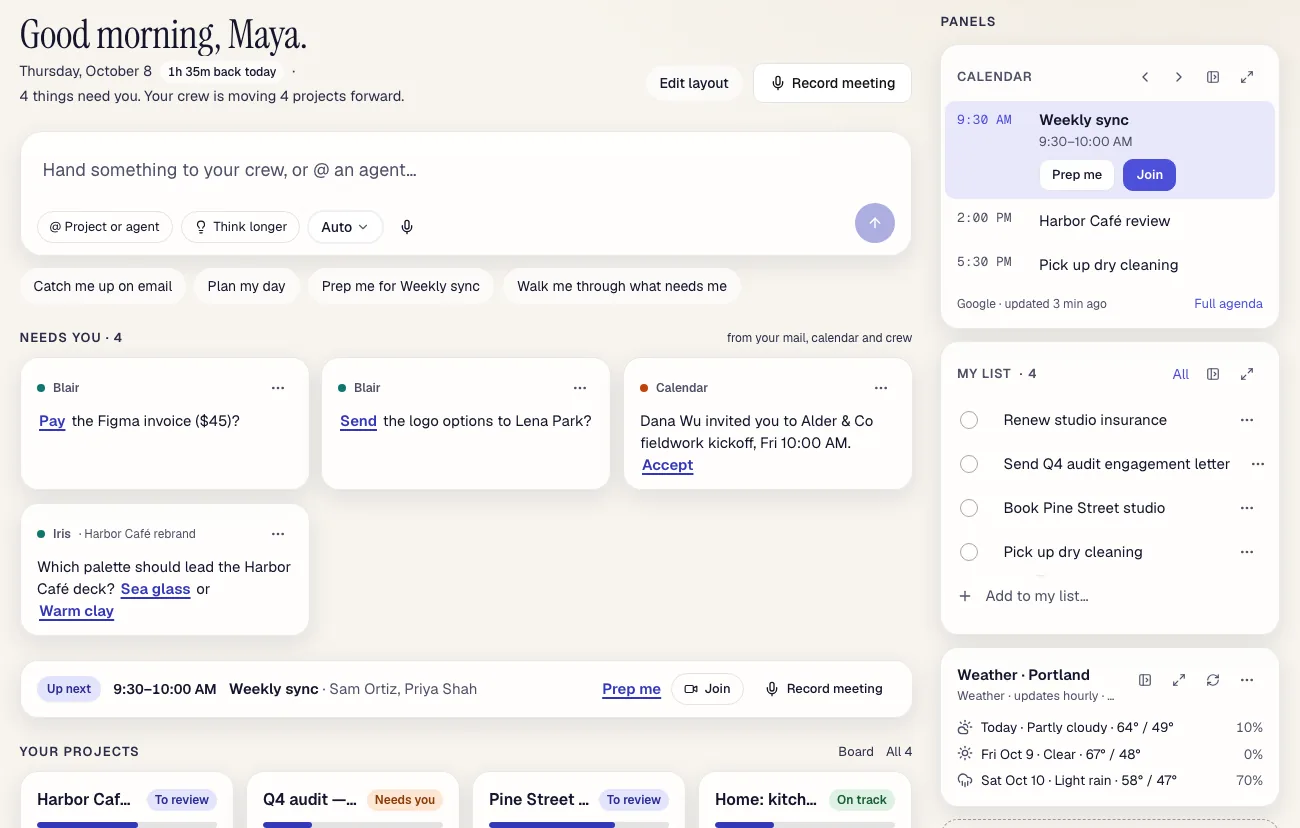
  • Answers in place. “Catch me up on email”, Plan my day and Prep me answer right on the page, without opening a chat.
  • Panels you build by asking. Ask for the weather, a stock or the 10-year yield, your list, a calendar view or anything you track, and it stays on Today.
  • Your projects at a glance. What's moving, what's waiting for review, what's next.
Blair's Today page: four things need you (pay an invoice, send logo options, accept an invite, pick a palette), an Up next meeting with Prep me, and panels for calendar, my list and weather.
Sample data, shown in the real app.

Projects and the Board

Hand it off. Get it back for review.

Projects are the core of Blair. Every project has a Board: drop a card in Ready and an agent picks it up, works it, and brings it to Review with the result attached.
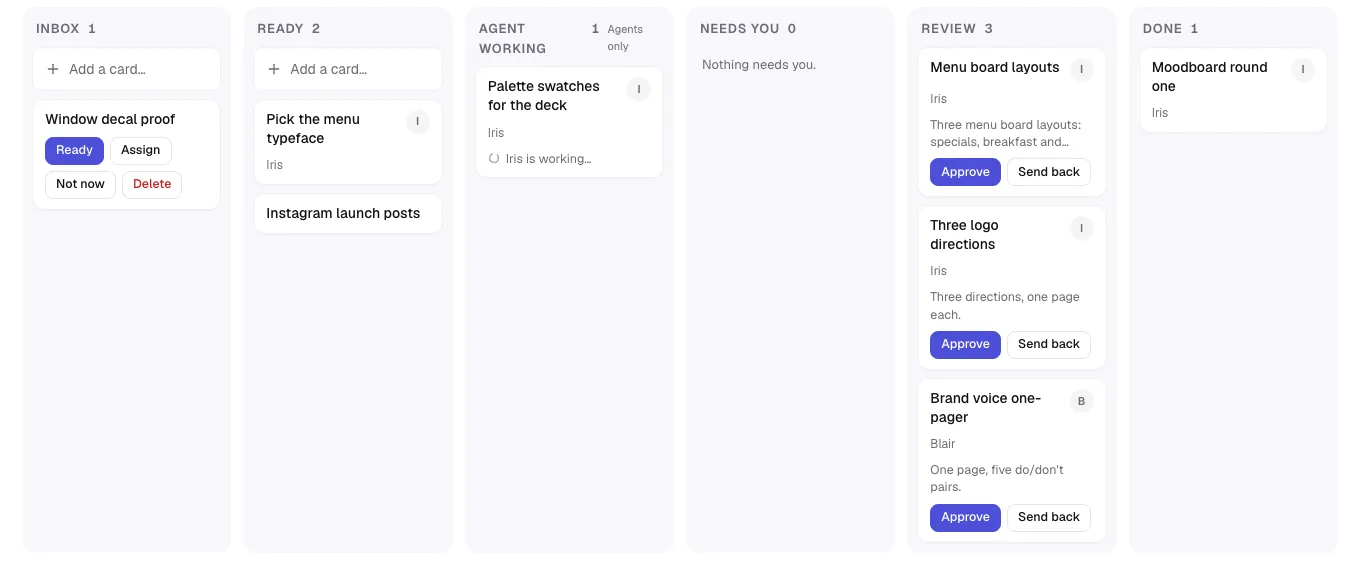
  • You stay the reviewer. Approve the work or send it back with a note.
  • Files, chats and decisions live with the project, so nobody has to be briefed twice.
  • Needs you is its own column: when an agent is stuck, it asks.
A project Board with columns Inbox, Ready, Agent working, Needs you, Review and Done. Three cards wait in Review with Approve and Send back buttons.
Sample data, shown in the real app.

Your crew

A lead agent, and a crew behind it.

Blair is both the product and the lead agent: your chief of staff. Tell it what you need and it delegates to the right member of your crew, a designer, a bookkeeper, a researcher, then brings the result back to you.
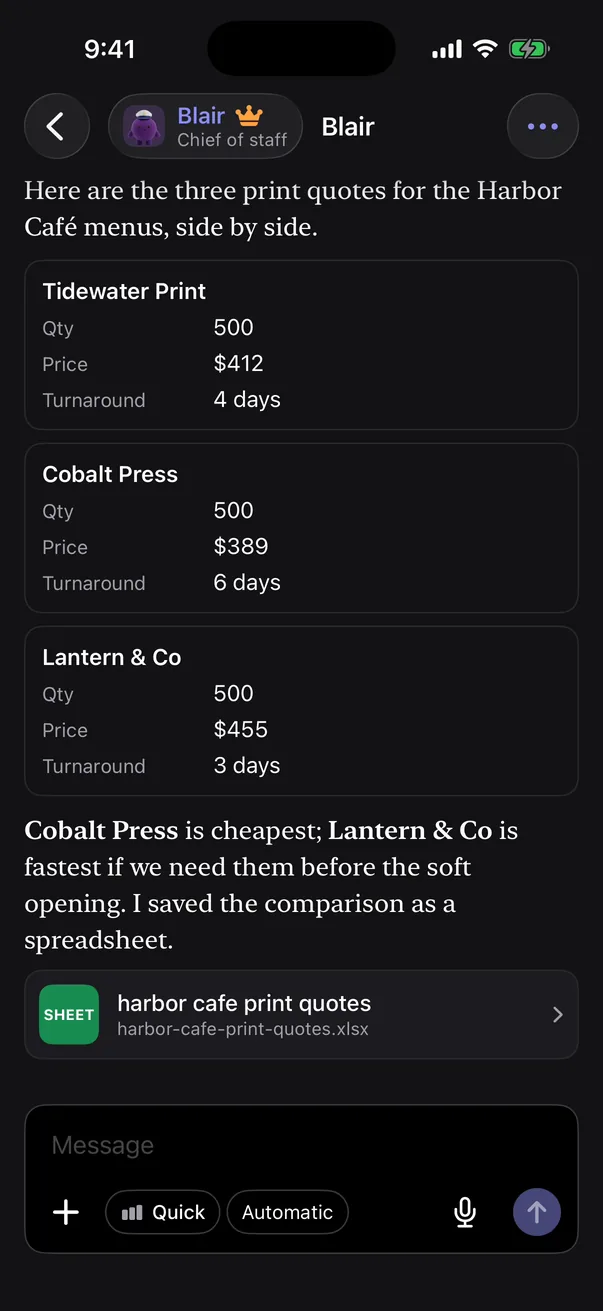
  • Agents talk to each other to finish the job, and you can read the thread.
  • Real deliverables: tables, documents and spreadsheets, attached to the project.
A chat with Blair, chief of staff, comparing three print quotes side by side and attaching the comparison as a spreadsheet.
Sample data, shown in the iPhone app.

Meetings

Meeting notes, and no bot in the room.

Nothing joins your call. Record on your Mac, on the web, or on Windows through the web app, with video if you want it.
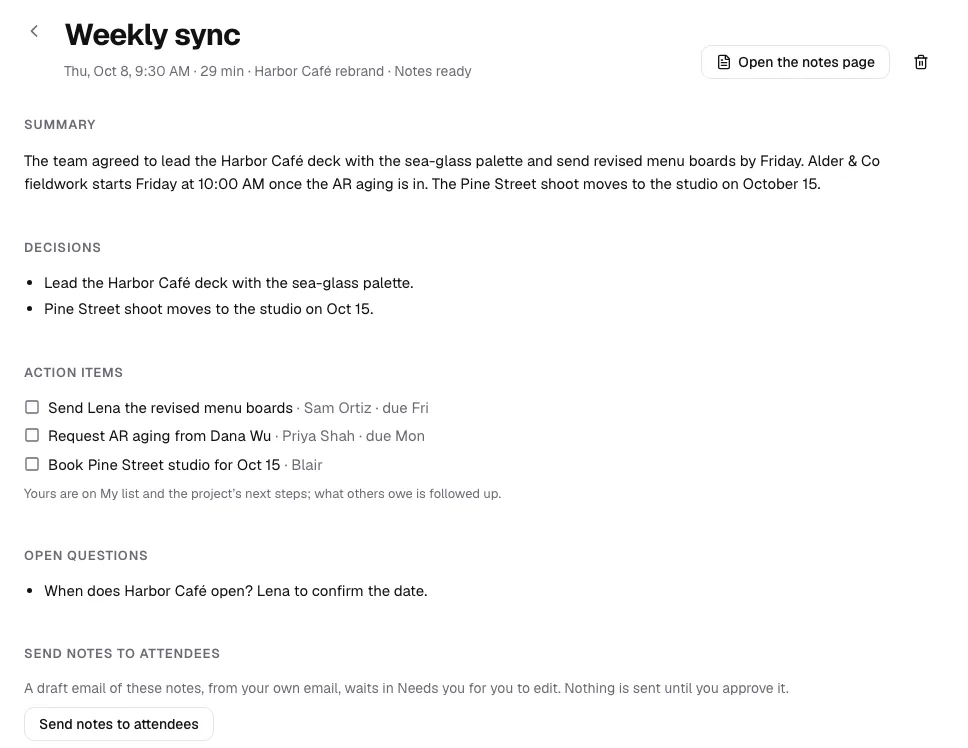
  • Notes with names: a summary and a transcript that says who said what.
  • Action items become cards on the project's Board.
  • Decisions are logged on the project, so the answer to “what did we agree?” is one click away.
Notes from a weekly sync: a summary, two decisions, three action items with owners and due dates, an open question, and a button to send the notes to attendees.
Sample data, shown in the real app.

Call your chief of staff

Call Blair. Keep talking while it works.

Live voice calls in the iPhone app and on the web. Ask for something mid-call and Blair starts it in the background, tells you when it's ready, and keeps the conversation going.
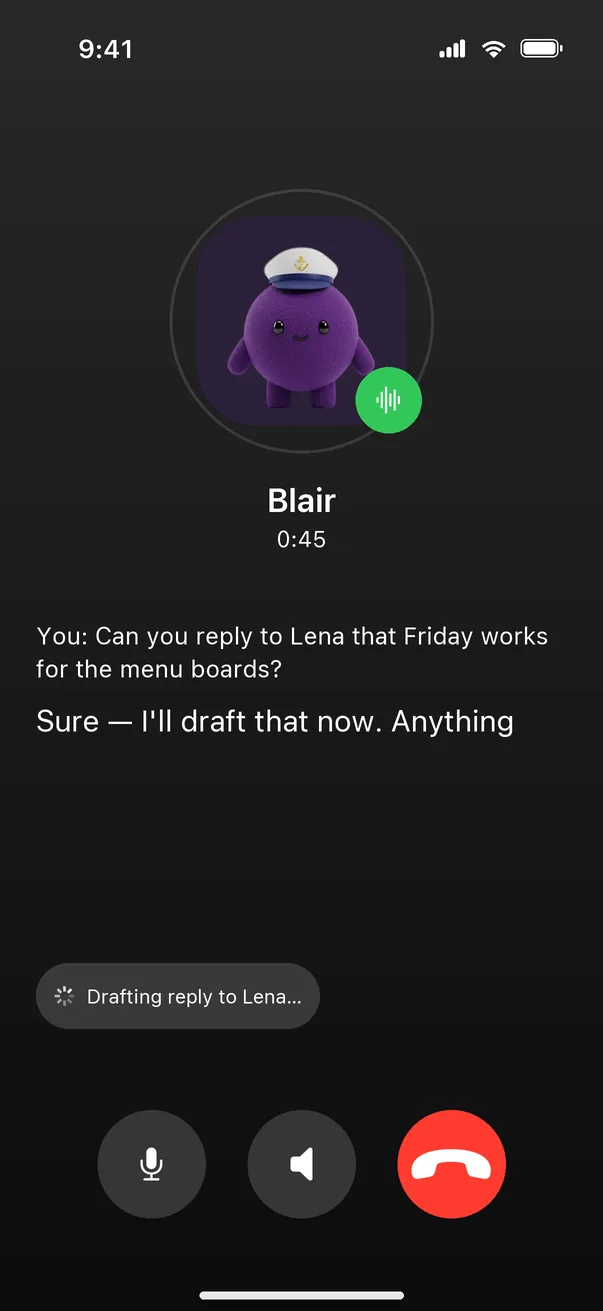
  • Captions for both sides of the call.
  • Background tasks show as they run: “Drafting reply to Lena…”, then ready to approve.
A live call with Blair on iPhone, with captions and a background task chip that reads Drafting reply to Lena.
Sample data, shown in the iPhone app.

Mac app

One keystroke from anywhere on your Mac.

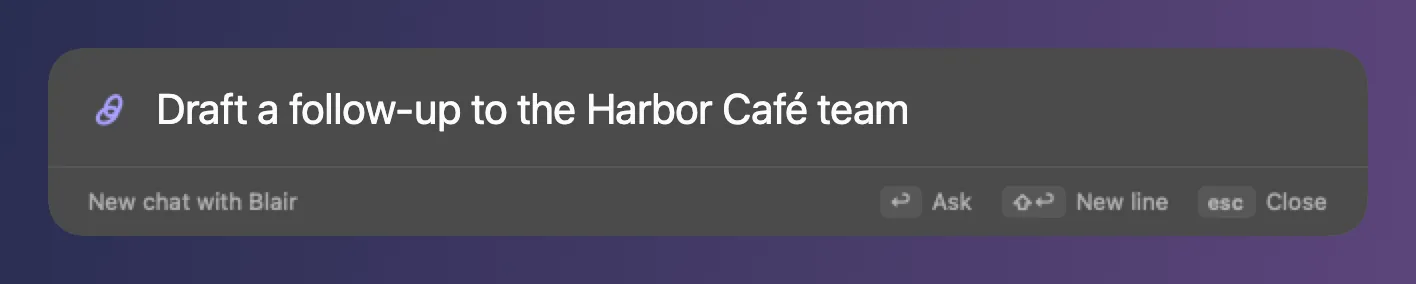
  • Quick Ask: press ⌥ Space from any app and type what you need.
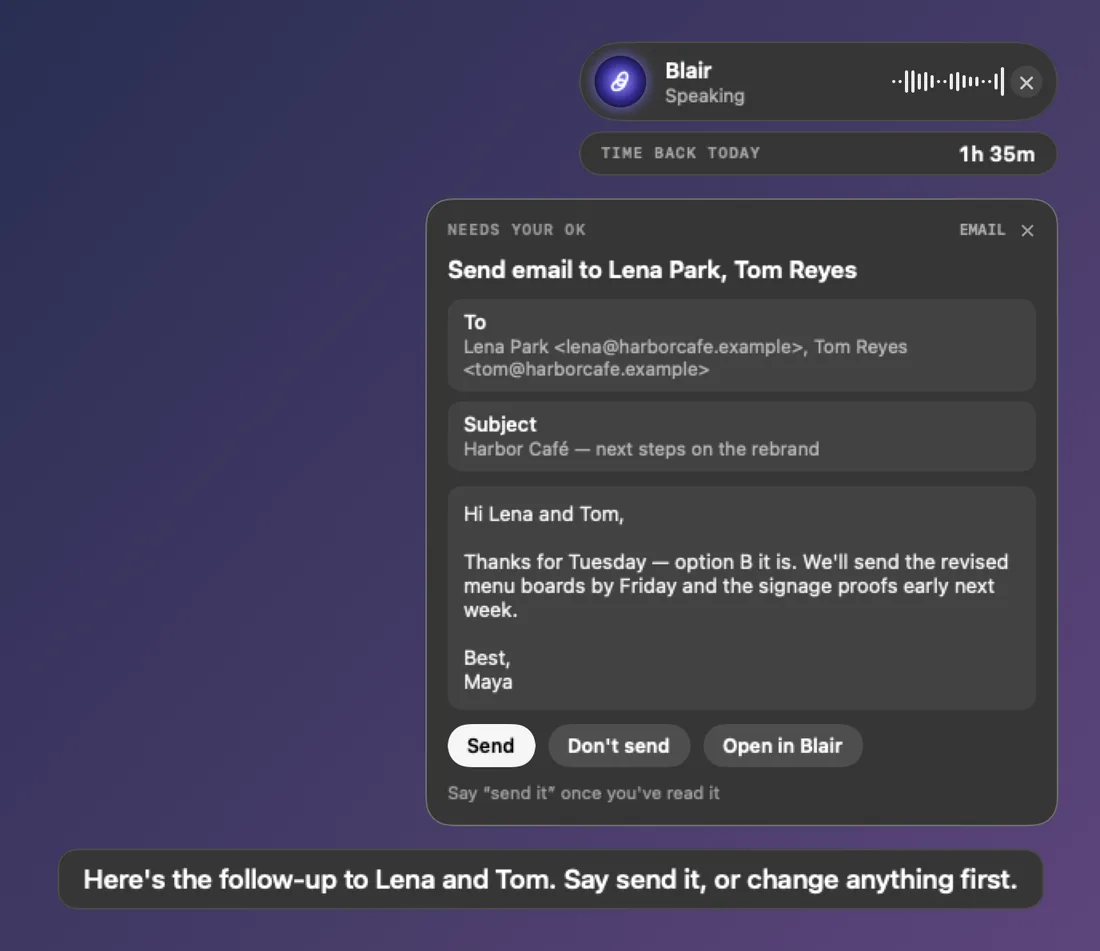
  • Blair Live: talk to Blair while you work. Drafts appear on screen for your OK before anything is sent.
  • Menu bar: Blair stays a click away with the window closed.
  • Meeting recorder: record a call on your Mac, with no bot joining it.
The Quick Ask bar on a Mac: Draft a follow-up to the Harbor Café team. Blair Live on a Mac: an email draft waiting for your OK with Send, Don't send and Open in Blair buttons.
Sample data, shown in the Mac app.

iPhone app

Today, in your pocket.

Clear what needs you from the line at the coffee shop. The iPhone app has Today, your projects, the Board, chats and calls, with a floating dock to move between them and a dark mode that's easy on the eyes at night.
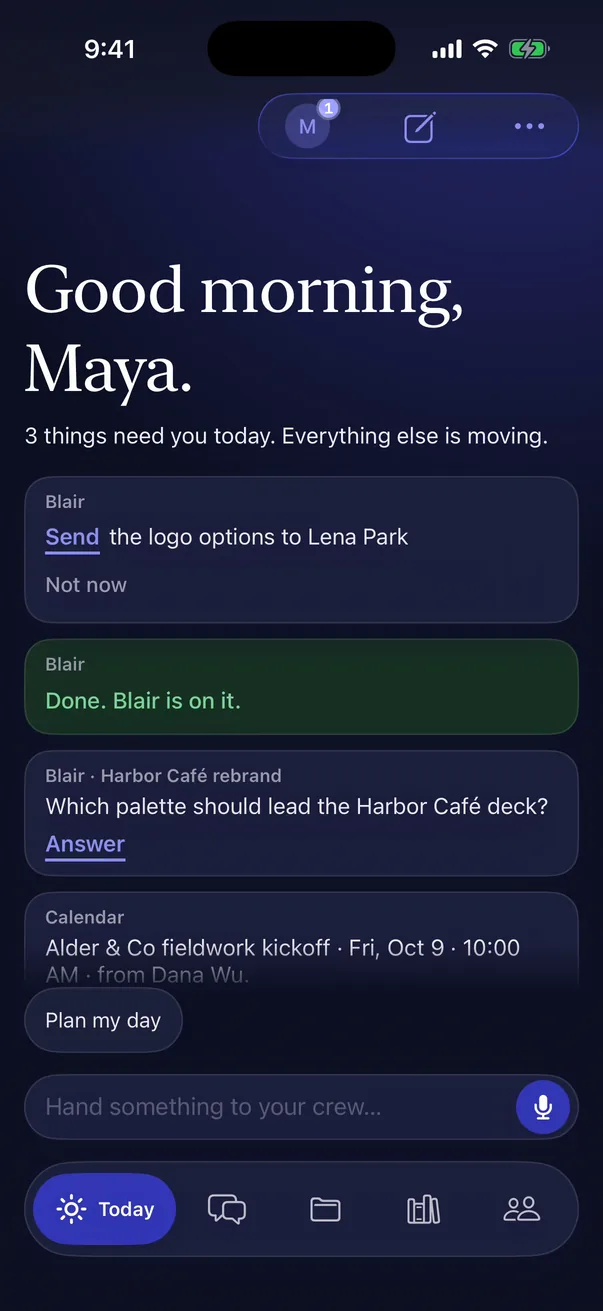
Blair's Today on iPhone in dark mode: Good morning, Maya, with three cards that need you and the floating dock at the bottom.
Sample data, shown in the iPhone app.

How it fits

Built into how you already work.

Connected to your tools

Blair works in the apps you already use, and runs errands there: drafting replies, answering invites, updating records. Anything that goes out waits for your yes.

  • Microsoft 365
  • Google
  • Slack
  • QuickBooks
  • GitHub
  • and more

Teams

Shared workspaces for the firm, with your people and your crew in the same projects.

  • Roles for owners, admins, members and guests.
  • Workspace › Admin for people, usage and governance.
  • Project-level privacy: a project can be the whole workspace's or private.

Memory

Blair remembers at the level a fact belongs to, so the right context shows up and the wrong one doesn't.

  • CompanyHow the firm works: clients, standards, the way you write.
  • ProjectWhat's been decided, who's involved, what's due.
  • PersonalYour preferences, kept to you.

Works with your AI

Blair runs on your own Claude or ChatGPT subscription first. Credits are only a fallback. And it works the other way too: connect Claude or ChatGPT to Blair over MCP and ask about your projects from there.

Privacy and trust

You stay in charge of what goes out.

Blair does a lot on your behalf. These are the lines it doesn't cross. The details are in our Privacy Policy.

  • Approvals first

    Emails, payments, invites and posts wait as a card you approve. Say no and nothing happens.

  • No stored cards

    When Blair pays for something you approved, it uses your Stripe Link wallet. Blair never keeps a card number.

  • Sign-in codes from your inbox

    When a site sends a code, Blair reads it from your own email, so you don't have to forward it.

  • Private projects

    A private project stays with you and your crew, even in a shared workspace.

  • Export everything

    Download your data whenever you like.

  • Delete everything

    Erase what Blair holds about you in one step, from Settings.

Now in beta

Join the beta.

We're opening Blair to a small group of consultants and project teams. Tell us a little about your work and we'll send your invitation.

We'll only use your email to contact you about the beta. See our privacy policy.